Edge AI & Signal Devices

Edge AI & Signal Devices

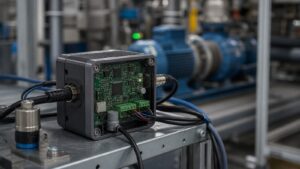
Edge AI & Signal Devices is where Signal Streets gets hands-on with the “tiny brains” living out in the real world. Instead of sending every bit of data to a distant cloud, these smart devices think on the spot—right on street corners, rooftops, factory lines, farm fields, and inside everyday gear. In this sub-category, we break down how small processors, sensors, and signal chips work together to listen, learn, and react in real time. You’ll see how cameras can spot patterns without streaming full video, how meters can flag trouble before a failure, and how wireless hubs quietly move data around like air traffic controllers. No heavy math, no lab-coat talk—just clear, friendly explanations and real-world examples. Whether you’re curious how “smart” devices really are, planning your first DIY project, or thinking about upgrading a site or system, Edge AI & Signal Devices gives you stories, ideas, and simple frameworks to spot what’s hype and what’s genuinely useful.

Core Signals
1. Signals are just changing values over time—like sound, light, temperature, or motion.
2. Edge devices listen to signals close to the source instead of waiting on far-away servers.
3. Sensors turn real-world activity (heat, sound, movement) into numbers a chip can understand.
4. Sampling means taking quick snapshots of a signal many times each second.
5. Simple filters help smooth out random noise so patterns are easier to see.
6. AI at the edge looks for “interesting” changes—like a spike, a sudden dip, or a new pattern.
7. Many edge devices just send alerts, not full raw data, which saves bandwidth.
8. Battery-powered signal nodes are designed to “sleep” a lot and only wake to measure.
9. Local processing helps keep sensitive signals private and off the public internet.
10. Even tiny chips can track trends over time, like “getting louder” or “heating up.”
Data Bursts
1. Instead of streaming nonstop, many devices send quick “data bursts” when something changes.
2. Short summaries—like averages or peak values—travel faster than full raw recordings.
3. Edge AI can tag bursts with simple labels: “normal,” “warning,” or “critical.”
4. Timestamping each burst makes it easy to line up events across different devices.
5. Compressing data shrinks files so they move more easily over weak or crowded networks.
6. Some sensors buffer data locally so they can “catch up” after a network glitch.
7. Dashboards often show bursts as dots, spikes, or short bars on a timeline.
8. Edge devices can slow down or speed up how often they send bursts based on activity.
9. Alerts can be routed to text, email, or apps so people see issues quickly.
10. Over time, stored bursts form a history you can use to spot long-term trends.
Tech Toolshed
1. Starter edge boards combine a small processor, wireless radio, and basic sensor inputs.
2. Plug-and-play sensor modules measure things like air quality, vibration, or sound level.
3. Tiny AI accelerator chips help run models faster without draining as much power.
4. Rugged enclosures protect devices from dust, rain, and bumps in outdoor installs.
5. Simple dashboards and mobile apps let you see live readings without coding.
6. Low-power wireless options like BLE and LoRaWAN help reach distant or battery-only sites.
7. USB and debug ports make it easy to test a device on your desk before deployment.
8. Pre-trained AI models can be dropped onto devices to recognize basic patterns right away.
9. Open-source libraries simplify signal tasks like smoothing, peak-finding, and feature extraction.
10. Cloud dashboards still matter—they collect, back up, and visualize all your edge data.
Hidden Frequencies
1. Many signals hide patterns in how often they repeat, not just how big they are.
2. Simple transforms can show “which frequencies are present” like notes in a chord.
3. Machines often develop a normal “vibration fingerprint” that stands out when it changes.
4. Unusual hums, rattles, or pulsing can be spotted early in the frequency view.
5. Edge AI can learn what a normal pattern looks like, then flag odd new shapes.
6. Wireless devices must share radio space; frequency planning helps them avoid stepping on each other.
7. Interference shows up as extra, unexpected “spikes” in the frequency picture.
8. Even simple color heatmaps can help non-experts see quiet vs. busy frequency bands.
9. Some sensors hop between frequencies to stay reliable in noisy environments.
10. Over time, tracking frequencies can reveal slow wear-and-tear before anything breaks.
Waveform Wonders
1. Waveforms are simply squiggly lines that show how a signal rises and falls over time.
2. Sharp spikes may point to sudden impacts, clicks, or unexpected events.
3. Smooth waves often mean steady, repeating behavior—like a fan or motor running.
4. Edge devices can zoom in on short clips when something unusual appears.
5. Color plots can turn sound or vibration into easy-to-read “heat pictures.”
6. AI models can learn what a healthy waveform looks like and ring an alarm when it shifts.
7. Comparing “before” and “after” waveforms helps confirm if a fix actually worked.
8. Waveforms from different sensors can be stacked to see who reacts first.
9. Even low-cost devices can show waveform previews on a phone or tablet.
10. Saving a few example waveforms can become your quick cheat sheet for future checks.
Signal Sync FAQ’s
Q: What does “edge AI” really mean?
A: It just means the smart stuff happens on the device itself, not far away in the cloud.
Q: Why not send everything to the cloud?
A: It’s slower, more expensive, and can expose more data. Edge helps filter and decide first.
Q: Do I need to be a programmer to use edge devices?
A: Not always. Many kits and dashboards are designed for beginners with simple setup steps.
Q: Can small devices really run AI?
A: Yes. Models are shrunk and tuned so they fit on tiny chips and still work well.
Q: Where are edge AI sensors used today?
A: In factories, farms, smart buildings, cities, vehicles, and lots of “smart home” gear.
Q: Is my data safe with edge devices?
A: Keeping processing local can reduce what leaves the site, but good security still matters.
Q: How many devices do I need to start?
A: Often just one or two is enough to pilot an idea and learn what works.
Q: What if my network goes down?
A: Many edge devices keep working locally and sync their data once the link returns.
Q: Are batteries a problem?
A: Low-power chips and sleep modes help batteries last months or even years in some setups.
Q: How do I pick my first project?
A: Start with one clear question—like “Is this machine acting normally?”—and build from there.