Sensor Fusion Systems

Sensor Fusion Systems

Sensor fusion systems are where scattered measurements turn into confident decisions. Instead of trusting a single sensor on its own, we blend readings from many sources—like cameras, radar, GPS, motion chips, and environmental sensors—into one, steady picture of what’s really going on. On Signal Streets, this sub-category is your friendly launchpad into that world. We’ll look at how cars “feel” the road using multiple sensors, how phones keep track of your steps and direction, and how robots stay upright and aware without getting dizzy. No advanced math, no intimidating formulas—just clear explanations, simple visuals, and practical examples. You’ll see how different sensors each have strengths and weaknesses, and how fusion can smooth out noise, fill in gaps, and catch mistakes before they cause trouble. Whether you’re curious about self-driving systems, smart buildings, or everyday gadgets, “Sensor Fusion Systems” will help you think like a signal conductor, mixing many noisy instruments into one reliable performance.

Core Signals
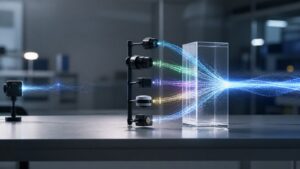
1. Sensor fusion simply means combining readings from several sensors so we get a clearer, more stable picture of the world.
2. Each sensor has strengths and weaknesses: cameras see detail, GPS knows location, motion chips feel movement, and so on.
3. Relying on one sensor can be risky—fog, glare, or signal dropouts can easily confuse it.
4. Fusion systems “cross-check” sensors so one can help catch the errors or blind spots of another.
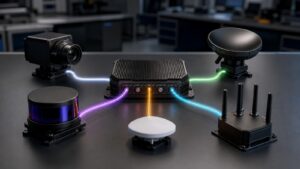
5. A basic fusion setup might blend data from a camera, a motion sensor, and a positioning chip.
6. The goal is not perfect truth, but a best guess that is smoother and more trustworthy than any single sensor.
7. Fusion can happen right on a device (like a phone) or on a central computer that gathers all the streams.
8. Time is important: signals need to be lined up so events from different sensors match the same moment.
9. Even simple rules, like averaging two noisy readings, count as a small form of sensor fusion.
10. Once you think in terms of fusion, it’s hard not to notice how many gadgets quietly blend data every day.
Data Bursts
1. Your phone’s “auto-rotate” often combines motion sensors and orientation data to decide when to flip the screen.
2. Fitness tracking blends steps, heart rate, and sometimes GPS to estimate distance, effort, and calories.
3. Cars use fusion to combine wheel speed, steering angle, and yaw sensors to keep stability systems calm and steady.
4. Driver-assistance features mix camera, radar, and sometimes lidar data to spot lanes, cars, and obstacles.
5. Drones fuse GPS and motion sensors to hover in place even when the wind is constantly nudging them around.
6. Smart thermostats blend temperature, motion, and schedule data to guess when people are actually home.
7. Warehouse robots combine barcode readers, laser scanners, and odometry to move safely between shelves.
8. Simple dashboards can show how often sensors agree, disagree, or suddenly go silent.
9. Quality checks can flag when one sensor keeps “arguing” with the others, hinting at damage or misalignment.
10. Over time, stored fusion data becomes a rich history for tuning models and spotting long-term trends.
Tech Toolshed
1. Development boards with built-in motion, temperature, and light sensors are great for trying basic fusion ideas.
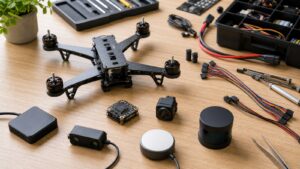
2. GPS modules, IMUs (motion bundles), and simple distance sensors form a classic starter fusion kit.
3. Logging tools can record multiple sensor streams at once so you can replay and study them later.
4. Graphing apps help you plot sensor lines on the same timeline and see how they rise and fall together.
5. Lightweight filters smooth shaky sensor readings so your graphs and decisions look less jumpy.
6. Calibration tools help align sensors—like making sure “zero” really means still, level, or centered.
7. Simulation software lets you test how fusion would behave in rain, fog, or sudden changes without real risk.
8. Cloud dashboards can collect sensor data from many devices and show big-picture patterns.
9. Alert systems can ping you when a sensor drifts too far from what the rest of the group expects.
10. You don’t need every tool at once—start with one sensor board, one logger, and one simple charting app.
Hidden Frequencies
1. Many sensors have quiet drifts—slow changes over time that fusion can catch by comparing sources.
2. Some signals are noisy up close but smooth when you zoom out and look at longer trends.
3. Hidden patterns appear when you line up motion, position, and environment data on the same chart.
4. Repeated bumps or spikes at regular intervals can hint at loose mounts, uneven floors, or periodic events.
5. Sudden breaks in one sensor’s stream, while others stay steady, may point to wiring or battery issues.
6. Differences between day and night readings can reveal how lighting or temperature affects your sensors.
7. Fusing multiple noisy sensors often lowers the overall noise, revealing shapes you couldn’t see before.
8. Outlier detection helps you spot “impossible” readings, like objects jumping across the map in one step.
9. Comparing fused results to ground truth (like a trusted reference) shows how close your system gets.
10. Over time, discovering these hidden frequencies makes your system feel less fragile and more dependable.
Waveform Wonders
1. Plotting raw accelerometer, gyroscope, and GPS speed on one timeline turns motion into easy-to-see waves.
2. Fused waves often look smoother than any single sensor, because random bumps cancel each other out.
3. You can color-code sensor waves to quickly tell which line belongs to which physical source.
4. Sharp spikes across many sensors at once may reveal bumps, impacts, or sudden stops.
5. When only one sensor shows a spike, it might be a glitch rather than a real-world event.
6. Overlaying fused results with individual sensor waves shows how much “cleanup” the fusion is doing.
7. Zooming in shows tiny jitters, while zooming out reveals big motions like turns, climbs, or starts and stops.
8. Comparing before-and-after plots helps you judge whether new fusion settings are truly helping.
9. These waveform views make it easier to explain issues to teammates who prefer visuals over raw numbers.
10. Once you trust the waves, you can turn them into simple rules—like when to alert, log, or adjust behavior.
Signal Sync FAQ’s
Q: What is a sensor fusion system, in simple terms?
A: It’s a setup that blends data from several sensors to make one stronger, more reliable signal.
Q: Do I need advanced math to understand this?
A: No. The core ideas—combine, compare, and smooth—are easy to grasp with everyday examples.
Q: Why not just buy a “better” single sensor?
A: Even great sensors have blind spots; fusion lets different sensors cover for one another.
Q: Where is sensor fusion used in daily life?
A: Phones, cars, drones, game controllers, and smart home devices all quietly use fusion.
Q: What happens when two sensors disagree?
A: Fusion logic compares them, looks at history, and often leans toward the more trustworthy pattern.
Q: Can I experiment with fusion at home?
A: Yes. Starter boards and simple logging apps are enough to try basic ideas.
Q: Is sensor fusion only for real-time control?
A: Not at all. It’s also useful for offline analysis, testing, and replaying tricky events.
Q: How important is calibration?
A: Very. If sensors start from the wrong “zero,” the fused result will drift or lean.
Q: Does fusion always improve accuracy?
A: Usually, but not magically. Poor sensors or bad setups can still cause trouble.
Q: What’s a good first project?
A: Try blending motion and position data for a small robot or board, then plot and compare the results.